
You don’t need a fancy DSLR to capture stunning family photos that are worthy of professional display. With today’s smartphone cameras—especially iPhones—you can take crisp, vibrant, high-resolution images that look amazing printed on metal. In fact, more families than ever are turning their everyday snapshots into lasting wall art using premium ChromaLuxe metal prints. In this guide, we’ll show you how to take the best family photos using your iPhone and get them print-ready for metal.
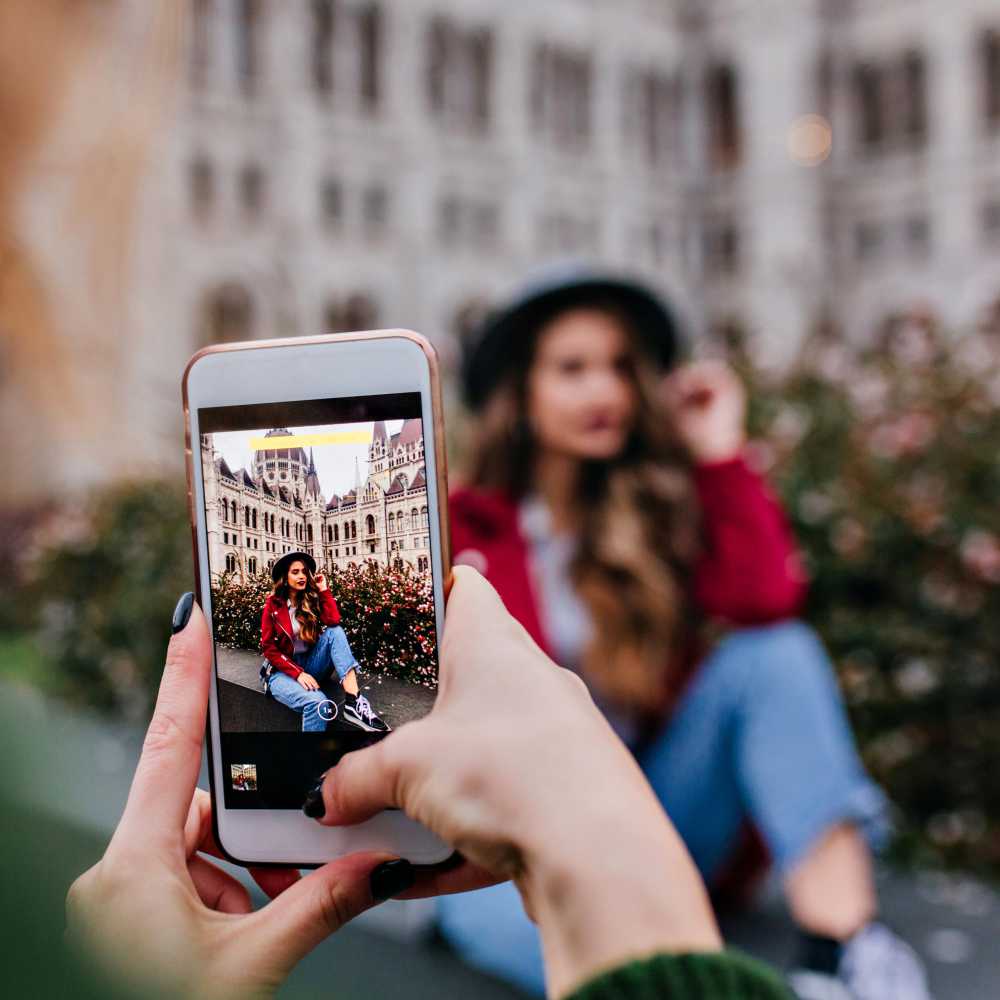
Modern iPhones are equipped with powerful cameras capable of capturing high-resolution images, even in challenging lighting. Combined with advanced features like Portrait Mode, HDR, and AI-driven image processing, your iPhone becomes a portable family photo studio. When printed on metal, these images retain incredible sharpness, color depth, and contrast—perfect for heirloom-quality wall art.
This simple tip is often overlooked, but takes little time and can make a night-and-day difference in the quality of your photos. Wipe your iPhone lens with a soft cloth to remove smudges or dirt. Even a small fingerprint can make your image appear blurry or hazy—especially noticeable when the photo is enlarged for printing.
When taking photos from your iPhone, utilizing natural light is your best friend. Aim to shoot near windows, outdoors during golden hour (an hour after sunrise or before sunset), or in shaded areas to avoid harsh midday sun. Soft, diffused lighting enhances skin tones and minimizes harsh shadows.
Zooming in reduces image quality on most smartphones. Instead, move closer to your subject or crop the image later. Preserving the highest resolution ensures your print looks sharp and clear, even in larger formats like 16×20 or 20×30.
iPhone’s Portrait Mode creates beautiful background blur, similar to what a DSLR can achieve. However, make sure the edges around faces and hair are clean. Use it in good lighting, and tap to focus on your subject’s eyes for best results.
Tap the screen to focus on your subject. Once focused, slide your finger up or down to adjust exposure. Slight underexposure is better than overexposure—especially for metal prints, which display rich blacks and contrast beautifully.
Use the rule of thirds to place your subject off-center for more dynamic compositions. Turn on the iPhone’s grid in camera settings to help guide your composition. Think about your background too—simple, uncluttered scenes let the family moment shine.
Some of the best family photos are the ones where no one is posing. Capture laughter, walks, playtime, or quiet cuddles. These natural moments tell your family’s story more genuinely and often make the most powerful wall art.
Kids move fast—and so do pets. Use Burst Mode by holding down the shutter button to capture a rapid sequence of shots. You can then choose the best one where everyone’s eyes are open and smiles are natural.
Want to be in the photo too? Use a small iPhone tripod and the 3- or 10-second timer to capture full-family portraits. This setup allows for better composition and eliminates awkward arm-out selfie shots.
Before uploading your image for printing, lightly edit for exposure, sharpness, and color balance. Avoid heavy filters that distort skin tones or oversaturate colors. Apple’s native Photos app is great, or use Lightroom Mobile for advanced adjustments.
Leave room around the edges of your photo when composing the shot. This allows for flexibility during cropping on the product page or in the print lab. Cropping too tight might cut off heads or limbs when adjusted for standard print dimensions.
At Prints 4 You, we offer several print sizes tailored specifically to common smartphone image ratios:
We make it easy to order the perfect size for your image without frustrating cropping or pixelation. Just select your image orientation and aspect ratio, and our preview tool will help you visualize the result.
Create a grid of smartphone photos in matching sizes for a modern, polished look. Great for showcasing school portraits, milestone memories, or everyday life moments.
Use sequential images from a single day or event to tell a story across your wall. Try horizontal or vertical layouts with equal spacing.
Our easel-mounted metal prints are perfect for nightstands, mantels, and shelves. Use them in bedrooms, offices, or gift them to loved ones with limited wall space.
For a dramatic twist, split one panoramic iPhone shot across two or three metal panels. This is especially effective for beach shots, wide landscapes, or action scenes with depth.
Metal prints offer unmatched durability and clarity, turning ordinary iPhone photos into gallery-worthy pieces. Our dye-sublimation printing process infuses your image into a ChromaLuxe aluminum panel, producing colors that pop and details that remain razor-sharp—even at large sizes. They’re moisture-resistant, fade-resistant, and easy to clean—ideal for family homes.
Our Smartphone EasyOrder system makes it simple to upload, crop, and order prints right from your iPhone or mobile device. Choose from:
Your best family memories are already in your camera roll. With the right lighting, composition, and a few quick edits, those images can become long-lasting works of art. Turn your iPhone photos into vibrant, professional-quality metal prints—and turn your house into a gallery of love.
Start your order today and showcase your family in a way that’s as durable and beautiful as the memories themselves.